Use Self-Scheduling to book a primary care appointment online

MyChart for UHS Patients

UK HealthCare MyChart is a secure and easy-to-use online patient portal that allows you to manage your care and access your health information any time. MyChart provides you with online access to your health record. It can help you participate in your health care and communicate with your providers. More information.

Useful tips for students

View lab results

To access lab results, click on the Test Results icon.
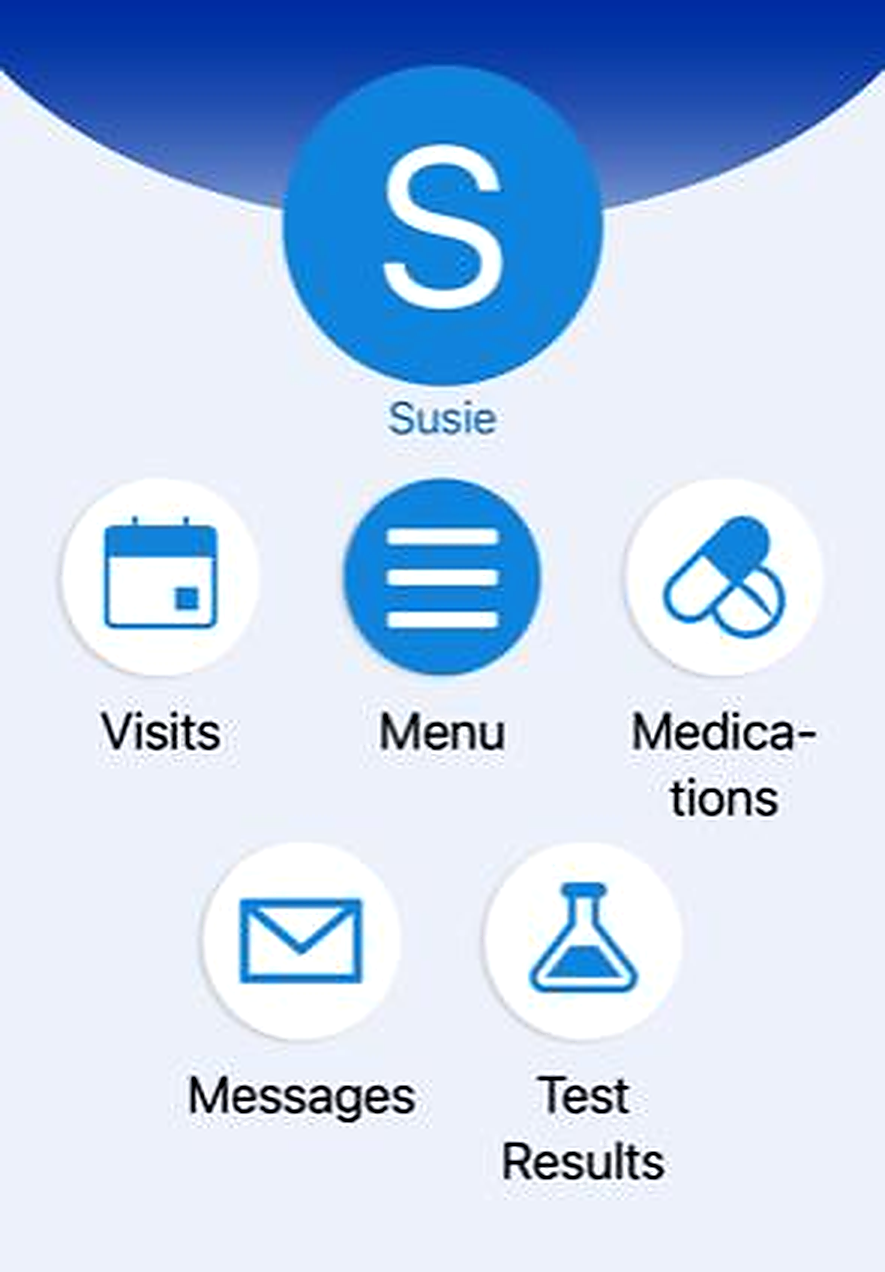
A mobile app home screen showing a circular blue avatar with a large white letter “S” and the name “Susie” beneath it. Below are six rounded icon buttons arranged in two rows. The top row includes icons labeled “Visits,” “Menu,” and “Medications.” The bottom row includes icons labeled “Messages” and “Test Results.” The icons use simple blue graphics such as a calendar, three horizontal lines, pills, an envelope, and a laboratory flask.

Find letter verifying your visit or listing your restrictions

Click on Menu, then scroll to Communication and click on Letters.
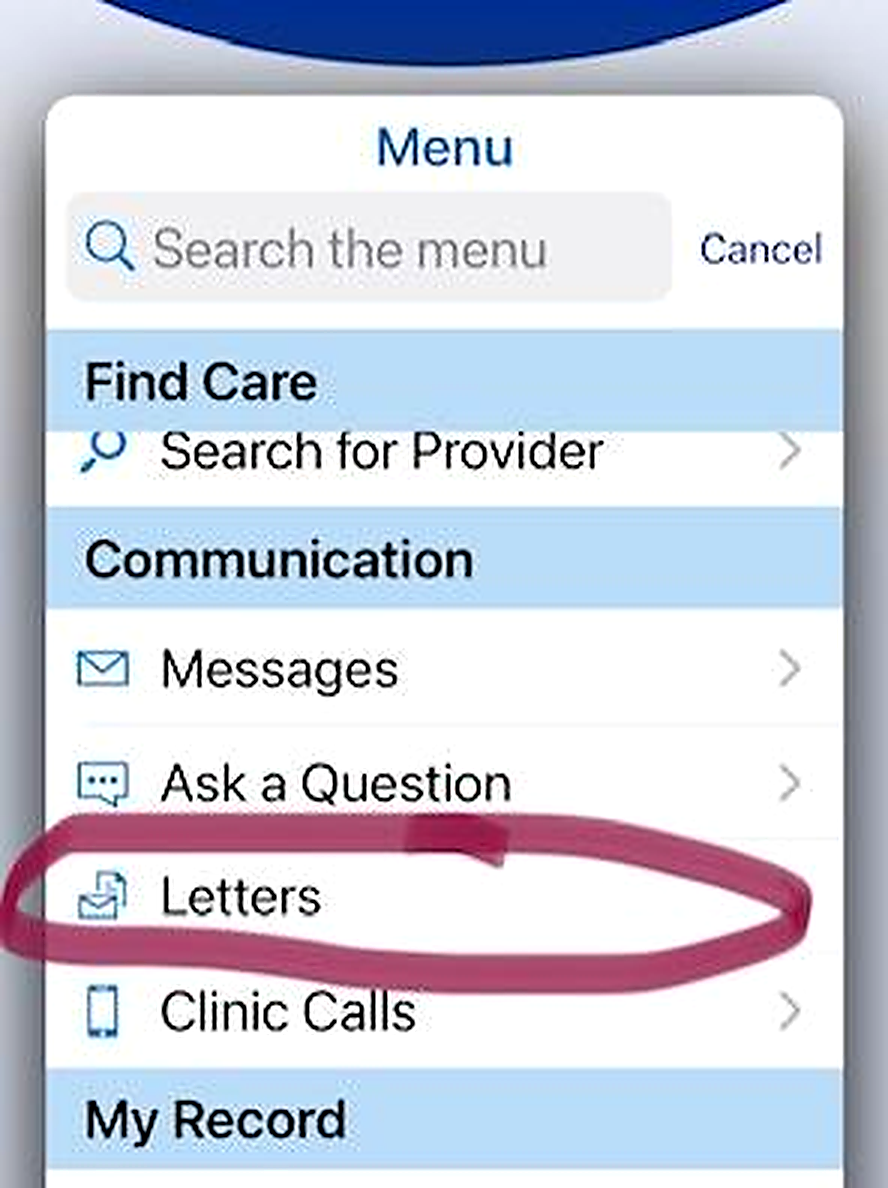
A mobile app screen showing a dropdown menu titled “Menu.” At the top is a search bar labeled “Search the menu.” Below are menu sections, including “Find Care” with an option for “Search for Provider,” and “Communication” with options such as “Messages,” “Ask a Question,” and “Letters.” The “Letters” option is circled in dark pink.

If you are signed in via a web browser, you can print the letter to PDF form and send to your professors. If you are using the MyChart app on your phone, you can screen shot the letter and send to your professors.

View patient instructions, medications and other important information

Click on Appointments, past appointments, then the View After Visit Summary for the date of the visit you would like to see.
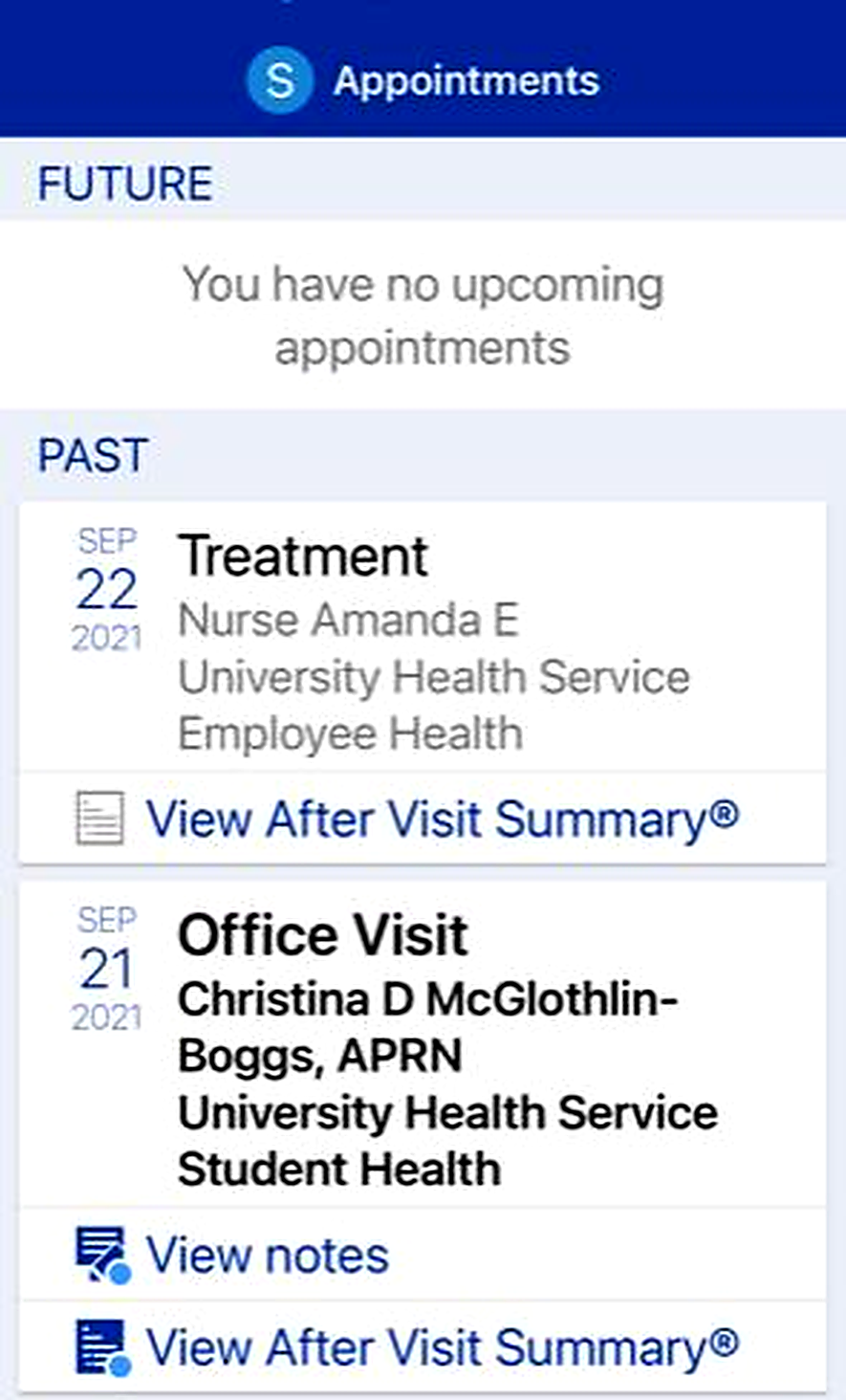
A mobile app screen titled “Appointments.” The Future section states there are no upcoming appointments. The Past section shows two visits: a Sept 22, 2021 treatment visit with options to view the After Visit Summary, and a Sept 21, 2021 office visit with options to view notes and the After Visit Summary.
A screenshot of an After Visit Summary showing instructions, details from a visit for a positive TB test, items done today, no upcoming appointments, and a list of medications to be given. A MyChart box appears at the bottom, and the next page begins with a medication list.

Schedule an appointment

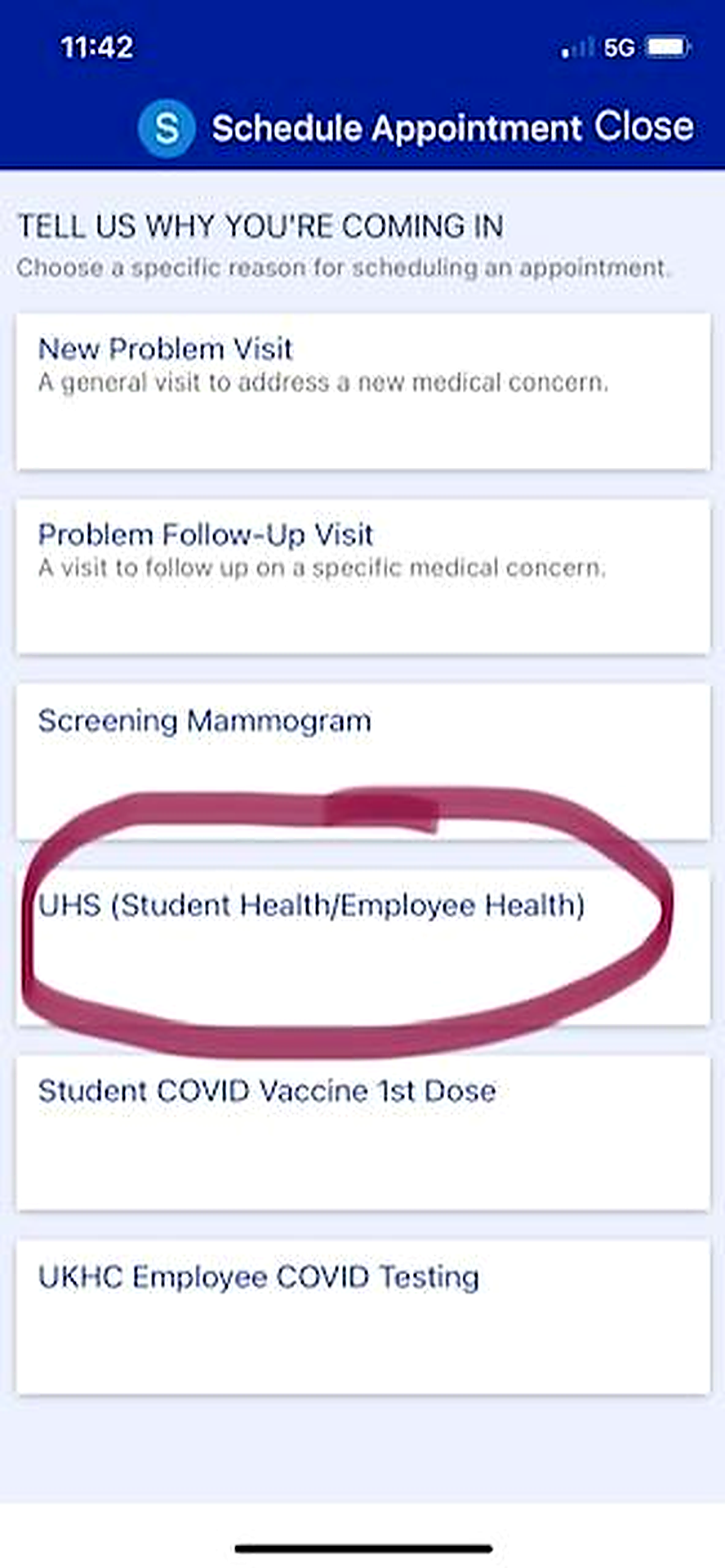
Do NOT select the names on the first screen. Scroll down or left to select “UHS (Student/Employee Health), then follow the prompts from there.
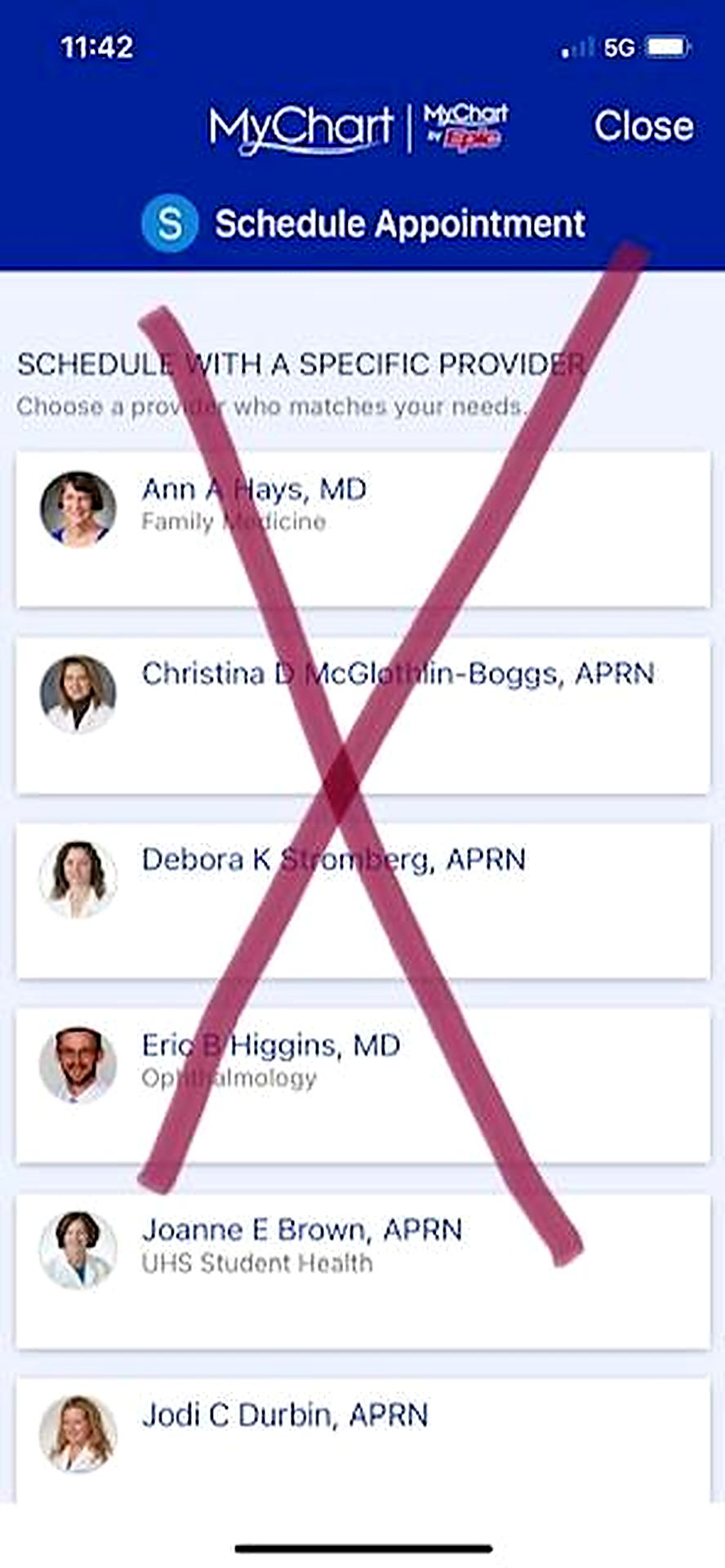
A mobile app screen titled “Schedule Appointment” displaying a list of providers with small profile photos and names. A large pink X is drawn over the list.
A mobile app screen titled “Schedule Appointment” showing a list of visit reasons, including New Problem Visit, Problem Follow‑Up Visit, Screening Mammogram, UHS (Student Health/Employee Health), Student COVID Vaccine 1st Dose, and UKHC Employee COVID Testing. The UHS option is circled in pink.

Related Stories